Effective internal communication is the backbone of any successful organisation. Whether you’re managing a small team or running a large enterprise, having the right communication idea can transform how your organisation collaborates.
This article explores 25 internal communication tools you should know about. From project management platforms to instant messaging apps, these tools are designed to boost productivity, enhance employee engagement, and create a more connected workforce.
The 3 different types of internal communication
Effective internal communication is vital for any organisation looking to enhance its workflow, maintain a positive work environment, and improve overall productivity. Understanding the different types of internal communication can help you tailor your communication strategies and optimise the exchange of information at all levels.
By recognising and implementing downward, upward, and horizontal communication methods, you can ensure that your internal communication runs smoothly and contributes to a more connected workforce. Here’s a look at the three main types of internal communication:
Downward communication
Downward communication refers to the flow of information from higher levels of an organisation to lower levels. It typically involves instructions, policies, and general organisational updates. This type of communication is essential for providing clear direction and maintaining alignment with the company’s goals.
Some examples could include:
- Managers sending emails about new procedures
- Company-wide newsletters
- Staff briefings during team meetings.
Upward communication
Upward communication is the process where information flows from lower levels of the organisation to higher levels. It plays a crucial role in providing feedback, reporting issues, and sharing ideas for improvement. Encouraging upward communication can help organisations identify potential areas for growth and refine internal communication initiatives.
Some examples of upward communication could include:
- Employee surveys
- Suggestion boxes
- Regular one-on-one meetings between staff and managers.
Horizontal Communication
Horizontal communication refers to the exchange of information between colleagues or departments at the same level within an organisation. It fosters collaboration, problem-solving, and the sharing of resources, which can help improve internal communication and ensure a more cohesive working environment.
Some examples of horizontal communication could include:
- Team meetings
- Cross-departmental collaboration on projects
- Shared online platforms for communication.
6 reasons to invest in internal comms tools
Investing in the right internal communication tools can significantly enhance how information flows within your organisation. These tools are essential for improving internal communication, boosting productivity, and fostering a positive workplace culture. Here are six compelling reasons why you should consider investing in internal comms tools:
1. Reduce miscommunication
One of the primary benefits of using internal communication tools is the reduction of miscommunication. With clear and effective communication channels, employees are less likely to misunderstand important information. This helps avoid mistakes, reduces confusion, and ensures everyone is on the same page, ultimately improving internal communication.
2. Improve team collaboration
Internal comms tools foster better collaboration between teams, departments, and individuals. These tools encourage a more cohesive working environment by centralising communication and providing easy access to shared resources. Whether it’s project management software or instant messaging platforms, they can significantly improve how teams collaborate and work together towards common goals.
3. Enhance employee engagement
When employees feel informed and connected, they are more likely to be engaged with their work. Internal communication tools help keep employees in the loop with company news, updates, and feedback, fostering a sense of inclusion. This can lead to higher levels of engagement and morale, which are essential for improving productivity and retaining top talent.
4. Streamline information flow
Internal communication tools can streamline the flow of information throughout your organisation. With integrated platforms for announcements, files, and discussions, employees can access the information they need without wasting time searching for it. This saves time and helps ensure that important updates don’t get lost or overlooked.
5. Promote transparency
Investing in internal communication tools encourages transparency within your organisation. By creating open channels for communication, employees feel more informed about company goals, changes, and challenges. This transparency fosters trust and can improve employee satisfaction, as people feel their voices are heard and valued.
6. Strengthen company culture
Finally, effective internal communication tools can help strengthen your company’s culture. Creating a more connected and communicative workplace makes employees feel part of a cohesive team with shared values. This sense of belonging can increase loyalty and improve overall job satisfaction, which can contribute to the long-term success of your business.
25 best internal communication tools companies should consider
Effective internal communication is the cornerstone of organisational success. Companies must prioritise robust tools to streamline information flow, foster collaboration, and improve team engagement. Here are 25 internal communication tools to enhance your initiatives:

1. Teamupp
Teamupp helps improve internal communication by turning team collaboration into an engaging experience. The platform uses challenges, games, and a dynamic newsfeed to increase team engagement and foster a positive work culture.
Cost: Custom pricing starting from 0.5$ per user (based on company size and features).
Key communication features:
- Gamified team challenges.
- Interactive newsfeed for updates and announcements.
- Real-time collaboration and feedback tools.
2. Microsoft Teams
Microsoft Teams is a leading communication platform that integrates chat, video calls, and file sharing into one streamlined application. It is especially popular with organisations using Microsoft 365.
Cost:
- Free version available.
- Paid plans start at $3.30 per user/month
Key communication features:
- Instant messaging and threaded conversations.
- Seamless integration with Outlook and SharePoint.
- Video conferencing and live event hosting.

3. Slack
Slack has become a household name for team communication, offering instant messaging with robust customisation options. It’s ideal for both small and large businesses looking to centralise communication.
Cost:
- Free version available.
- Paid plans start at $3.50 per user/month.
Key communication features:
- Customisable channels for team collaboration.
- Integration with hundreds of third-party apps.
- Advanced search functionality.

4. Confluence
Confluence by Atlassian is a content collaboration tool designed for creating, sharing, and managing internal documents and knowledge bases.
Cost :
- Free for up to 10 users.
- Paid plans start at $4.23 per user/month.
Key communication features:
- Centralised hub for knowledge sharing.
- Templates for team documentation.
- Integration with Jira and other Atlassian products.

5. Loom
Loom enables teams to create and share quick video messages, making communication more personal and effective. It’s great for sharing updates, feedback, or training resources.
Cost:
- Free version available.
- Paid plans start at $12.31 per user/month.
Key communication features:
- Video recording with screen sharing.
- Easy sharing via links.
- Viewer analytics and engagement tracking.

6. Gmail
As part of Google Workspace, Gmail is a trusted email communication tool with robust security features and seamless integration with other Google apps.
Cost :
- Free version available
- Plans start at $1.59 per user/month.
Key communication features:
- Customisable email domains.
- Powerful spam filtering.
- Integration with Google Calendar and Drive.

7. Zoom
Zoom is a leading video conferencing tool offering reliable meetings, webinars, and virtual events. It’s widely adopted for its user-friendly interface.
Cost: Free version available. Paid plans start at $12.99 per user/month.
Key communication features :
- HD video and audio calls.
- Breakout rooms for group collaboration.
- Webinar hosting capabilities.

8. Jitsi
Jitsi is an open-source video conferencing tool offering flexibility and customisation for businesses. It’s an excellent option for budget-conscious organisations.
Cost: Free.
Key communication features :
- Secure video conferencing.
- No account needed to join meetings.
- Screen sharing and collaborative features.
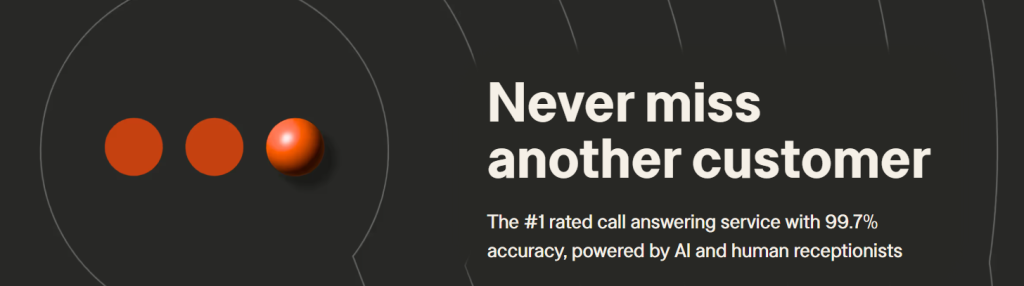
9. Smith.ai
Smith.ai provides virtual receptionist services, integrating live chat and phone call handling to streamline client communication and support.
Cost: Plans start at $240/month for live receptionist services.
Key communication features:
- 24/7 live chat and phone support.
- Integration with CRMs like Salesforce.
- Call screening and detailed reporting.

10. Zoho Desk
Zoho Desk is a help desk solution designed for customer support and internal ticketing. It helps streamline communication between teams and departments.
Cost: Free for up to 3 users. Paid plans start at $10 per user/month.
Key communication features :
- Ticket management and tracking.
- Multi-channel support (email, chat, social).
- Customisable dashboards and analytics.

11. Mailchimp
Mailchimp is a versatile platform for email marketing and internal newsletters, enabling organisations to craft visually appealing messages with ease.
Cost: Free plan available. Paid plans start at $16.40/month.
Key communication features :
- Email templates and automation.
- Audience segmentation.
- Detailed performance analytics.
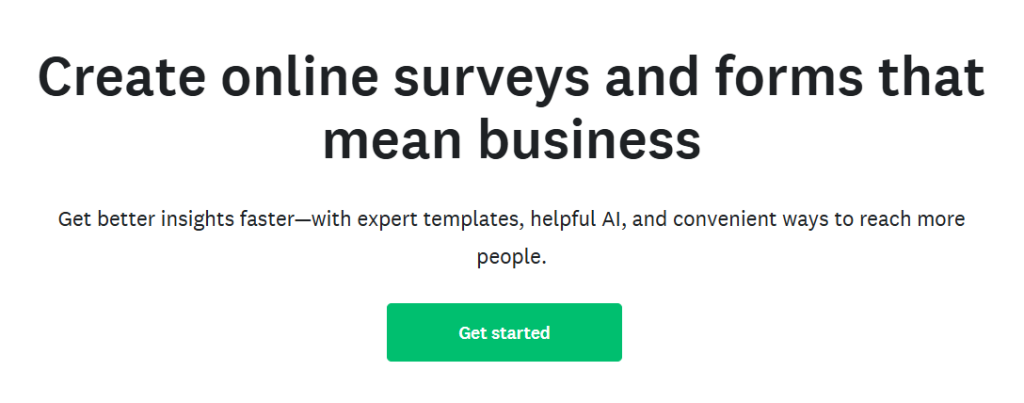
12. Survey Monkey
Survey Monkey helps teams gather feedback and conduct surveys to understand employee opinions and improve internal initiatives.
Cost: Free version available. Paid plans start at $20 per month.
Key Communication Features :
- Custom survey creation.
- Advanced analytics and reporting.
- Integration with other tools like Slack and Teams.

13. ZenDesk
ZenDesk is a customer support and internal help desk tool that helps manage communication tickets efficiently.
Cost: Plans start at $45 per user/month.
Key communication features:
- Multi-channel ticketing system.
- Automation for repetitive tasks.
- AI-powered chatbots.

14. Google Drive
Google Drive offers cloud storage and file-sharing solutions, making it easy for teams to access and collaborate on documents in real-time.
Cost: Free for up to 15GB. Paid plans start at $1.59/month for 100MB.
Key communication features:
- Collaborative document editing.
- Secure file sharing.
- Integration with Google Workspace.

15. Dropbox
Dropbox is a popular cloud storage service with robust sharing and collaboration features, ideal for storing and organising team files.
Cost: Free plan available. Premium plans start at $7.99 per user/month.
Key communication features :
- Advanced sharing permissions.
- Real-time collaboration with Dropbox Paper.
- Offline file access.

16. Microsoft OneDrive
OneDrive is Microsoft’s cloud storage solution, offering seamless integration with the Office suite for document collaboration.
Cost: Free plans available. Premium plans start at $19.99/month for personal use.
Key communication features :
- Cloud storage and syncing.
- Co-authoring in Word, Excel, and PowerPoint.
- File version history.
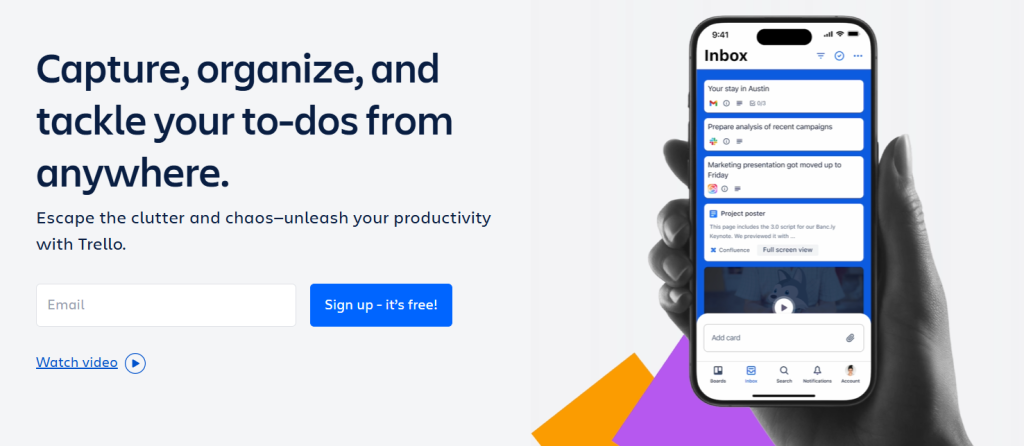
17. Trello
Trello is a visual project management tool that uses boards, lists, and cards to organise team tasks and workflows.
Cost: Free version available. Paid plans start at $4.17 per user/month.
Key communication features :
- Customisable project boards.
- Real-time updates and notifications.
- Power-ups for additional functionality.

18. Asana
Asana is a project management tool designed for tracking tasks, timelines, and team goals.
Cost: Free version available. Paid plans start at $9.49 per user/month.
Key communication features:
- Task assignment and tracking.
- Timeline and calendar views.
- Integration with over 100 apps.

19. Monday.com
Monday.com offers a highly customisable project management platform for teams to collaborate effectively on tasks and timelines.
Cost: Plans start at $7.39 per user/month.
Key communication features :
- Visual project boards.
- Automated workflows.
- Dashboards for performance tracking.

20. Basecamp
Basecamp simplifies project management with tools for team communication, task delegation, and file sharing.
Cost: Free plan available. Premium plans start from $12.31/month/user
Key communication features:
- Message boards for team discussions.
- To-do lists and schedules.
- Real-time group chat.

21. Shortcut
Shortcut, formerly Clubhouse, is a project management tool tailored for agile teams.
Cost: Plans start at $6.98 per user/month.
Key communication features:
- Custom workflows for agile teams.
- Team-specific spaces.
- Integration with GitHub and Slack.

22. Hive
Hive is a collaborative project management tool with features that adapt to the way your team works.
Cost: Plans start at $4.10 per user/month.
Key communication features:
- Customisable workflows.
- Time tracking and analytics.
- Messaging within tasks

23. Teamwork
Teamwork is a comprehensive project management tool designed for managing client work and internal team tasks.
Cost: Paid plans start at $10.99 per user/month.
Key communication features:
- Task and milestone tracking.
- Team messaging.
- Advanced reporting tools.

24. Project Broadcast
Project Broadcast is a texting platform designed for small businesses to communicate effectively with their teams.
Cost: Plans start at $4.92/month.
Key communication features:
- Group messaging and campaigns.
- Customisable templates.
- Real-time communication.

25. Chanty
Chanty is a simple and affordable team collaboration tool that combines messaging, task management, and file sharing. It’s designed for small to medium-sized teams looking for a straightforward internal communication solution.
Cost: Free version available. Paid plans start at $3 per user/month.
Key communication features:
- Unlimited messaging history for all plans.
- Task management with built-in Kanban boards.
- AI-powered assistant for improved workflow management.
What features to expect from great internal communication tools?
To truly improve internal communication and support successful internal communication initiatives, it’s essential to select tools that offer a variety of robust features. The right tools should be user-friendly, flexible, and specifically designed to enhance collaboration across all levels of your organisation. Here are some of the key features you can expect from top-tier internal communication tools:
Real-time messaging and collaboration
Real-time messaging is a cornerstone of modern internal communication, allowing teams to communicate instantly and ensuring that important information is shared quickly and efficiently. Whether it’s through direct messages, group chats, or live document editing, these features promote rapid decision-making and seamless collaboration among team members.
Customisable communication channels
Customisation is a vital feature when it comes to internal communication tools, as it allows the platform to cater specifically to the needs of your organisation. Great tools offer the flexibility to create communication channels that are tailored to particular teams, projects, or departments.
Mobile access
Whether employees are working remotely, travelling, or simply away from their desks, mobile access allows them to keep up with important updates, participate in discussions, and collaborate on tasks. This feature adds an extra layer of flexibility, allowing teams to remain productive and informed at all times.
File sharing and document collaboration
The ability to share files and collaborate on documents is essential for smooth internal communication. Great internal communication tools allow employees to easily share files, collaborate on documents in real-time, and maintain version control, ensuring that everyone is working with the most up-to-date information.
Integration with other tools
Seamless integration with other tools is a key feature that can greatly enhance the effectiveness of your internal communication platform. The best internal communication tools allow you to integrate with the other software and platforms your organisation already uses, such as project management systems, email clients, and calendar applications.
Analytics and reporting
Internal communication tools that provide analytics and reporting features offer valuable insights into how communication is flowing within your organisation. These features allow you to track engagement levels, identify potential communication bottlenecks, and measure the effectiveness of your internal communication initiatives.
Security and privacy
Given the sensitive nature of internal communications, the tools you select must prioritise security and privacy. Strong encryption, secure file sharing, and access controls are essential to ensure your company’s information remains confidential and protected from unauthorised access.
User-friendly interface
Finally, a user-friendly interface is one of the most important features of any internal communication tool. A tool that is easy to navigate and intuitive to use ensures that employees can quickly adopt the platform without the need for extensive training.
A clean, straightforward design with clear navigation makes it simple for employees to engage with the tool, reducing the time spent on troubleshooting or figuring out how to use the software. This enables teams to focus more on communication and collaboration rather than dealing with complex technology.
Now you know the best features to expect from an internal communication tool! It is important to build an effective internal communication strategy to foster collaboration, improve engagement, and achieve organisational goals.
Use tools like Teamupp to transform workplace communication and create a more connected, motivated team.
Talk to us about your organisation.